Fixes
Troubleshooting Numberblocks Generator Not Loading
When a browser game does not load, it is tempting to blame the game right away. With these Numberblocks-style projects, it can also be the frame, the browser, a privacy extension, the network, or just a slow first load. Here is the order I check things in before giving up.
My quick take
I wait, refresh once, try the site player, check blockers, and only then switch versions or browsers. Most blank-player problems do not need ten frantic refreshes.
Guide review
Written with a stated source and review method
- Written and reviewed by
- Numberblocks Generator site team
- Last reviewed
- July 15, 2026
Prepared from the site player routes, documented browser-frame constraints, and the reference sandbox capture below. Network filters, extensions, browsers, and third-party platforms can produce different results.
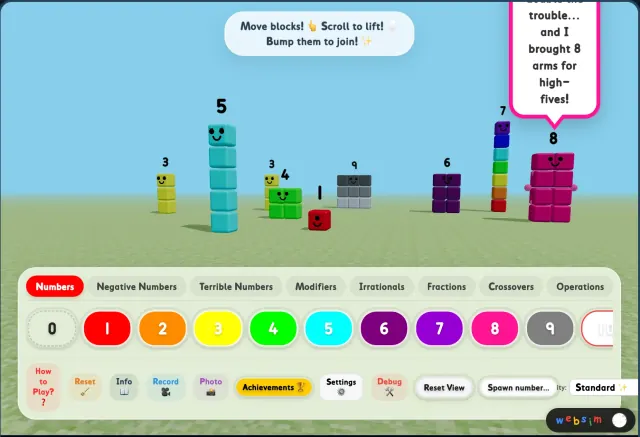
Blank player frame
A blank frame does not always mean the project is dead. Sometimes the runtime is still loading, and sometimes the iframe host is just taking its time.
My rule is: wait a bit, refresh once, then stop hammering refresh. If it is still blank, I open the site player in a new tab because that removes some of the page-frame weirdness.
Blocked iframe
Privacy extensions and school filters can block the embedded player while the rest of the page looks fine. That is annoying because it makes the site look broken even when the issue is outside the article page.
If I suspect that, I try a cleaner browser profile or a different network. On a managed school device, the filter may simply be the answer.
Mobile lag or tiny controls
Phones are not always kind to Scratch-style stages. If the controls feel tiny, I rotate the phone and close extra tabs before judging the page.
For heavier pages, especially Websim, I would rather move to a tablet or laptop. It is more fun than pretending a cramped phone screen is good enough.
Fullscreen will not open
Some browsers want a real tap or click before they allow fullscreen. I click inside the stage first, then hit the fullscreen or open-player button again.
On iOS, fullscreen can still be limited. In that case I usually use the site player route because it gives the game more of the screen without depending on browser fullscreen behavior.
No sound
If there is no sound, I tap inside the project before changing anything else. Browser audio rules are weird, and a real click or tap often wakes things up.
Then I check the obvious stuff: muted tab, silent mode, device volume. If all of that looks right, I refresh after tapping once and try again.