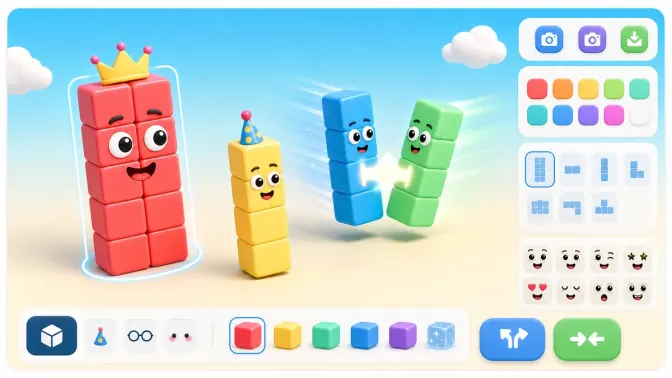
Numberblocks Generator

Playground

Numberblocks Playground

Start here if you want a simple number block playground. Play the main generator, try 1 to Infinity, or switch to the Scratch and Websim versions.

Main Generator

Mobile Safari uses a lightweight site player with only the game frame loaded.

Credit: Original Numberblocks Generator created by @NBBetohBFB on YouTube. TurboWarp player: TurboWarp.

Rotate your device for a better play experience.

Open in new tab

Play first

A focused number block playground

The Numberblocks Playground page works as the hub for users who are not sure which generator version to choose. Start with the main generator, then switch to 1 to Infinity, Scratch, or Websim from the same player area.

For children, browser play should be the first path. Avoid downloads unless the original project page clearly explains the file and the creator's permissions.

Versions

Compare ways to play

Use the main generator for the fastest start, 1 to Infinity for bigger numbers, Scratch when remix context matters, and Websim when you want to try a different browser playground.

A simple comparison flow is to play the main version first, test one larger number in 1 to Infinity, then open Scratch or Websim only if you want a different project style.

Guided use

For parents, teachers, and kids

The page works as a short activity starter for number patterns and visual counting ideas. Parents and teachers can use it to choose a version before sending children to a third-party project page.

Set a simple goal before play, such as trying a small number, a larger number, and one alternate version. That keeps the session focused instead of turning the page into random link hopping.

Mobile flow

If the playground feels slow on mobile

The main in-page game can be deferred on mobile so the page stays lighter before the user chooses how to play. Use the new-tab option for the most stable mobile path, or load the frame when you want to stay on this page.

If a third-party version is slow or blank, switch back to the main generator rather than repeatedly refreshing the same player frame.

Quick tips

Use this page safely

  • Start with the main generator before comparing alternate versions.
  • Use 1 to Infinity when the activity is about larger values.
  • Use new-tab play on mobile if the player frame feels cramped.

What to do next

Play it here

Start the game above. If it feels tight or does not load, open the site player in a new tab and use fullscreen there.

FAQ

Numberblocks Generator Questions

Is the Numberblocks Playground free?+

Yes. The playable fan-made generator pages are free to access in a browser.

Which version should I choose first?+

Start with the main generator for quick play, then try 1 to Infinity if you want larger numbers.

Does this playground replace official learning materials?+

No. It is a fan-made play tool and should not be treated as an official curriculum product.

What is the fastest way to use the playground?+

Start with the main generator, then switch to 1 to Infinity only if you want larger values or use Scratch/Websim when you want a different project style.

Why does the mobile page offer a new-tab option?+

Some in-page games are more stable in their own browser tab on mobile. The new-tab option gives the game more room and avoids cramped frame controls.